
Breaking Down CGI Visualization Pricing: What You Need to Know
When it comes to showcasing products in the digital age, CGI visualization pricing plays a crucial role in decision-making. High-quality 3D product visuals can transform how a product is perceived, helping businesses capture attention and boost sales. However, understanding the costs involved can be confusing. I want to break down the factors that influence pricing, so you can make informed choices that fit your budget and goals.
Understanding CGI Visualization Pricing: Key Factors
CGI visualization pricing depends on several elements that affect the final cost. Knowing these factors helps you plan your project better and avoid surprises. Here are the main components that influence pricing:
Complexity of the product: Simple objects like a single bottle or box cost less to render than intricate machinery or multi-part assemblies.
Level of detail: The more detailed the model, the more time and skill it requires. This includes textures, materials, and lighting.
Number of views or animations: Static images are cheaper than animations or interactive 3D models.
Resolution and quality: Higher resolution images or videos take longer to produce and require more computing power.
Revisions and changes: The more rounds of edits you request, the higher the cost.
Deadline urgency: Faster turnaround times often come with premium pricing.
By understanding these factors, you can better communicate your needs and expectations with your CGI provider.
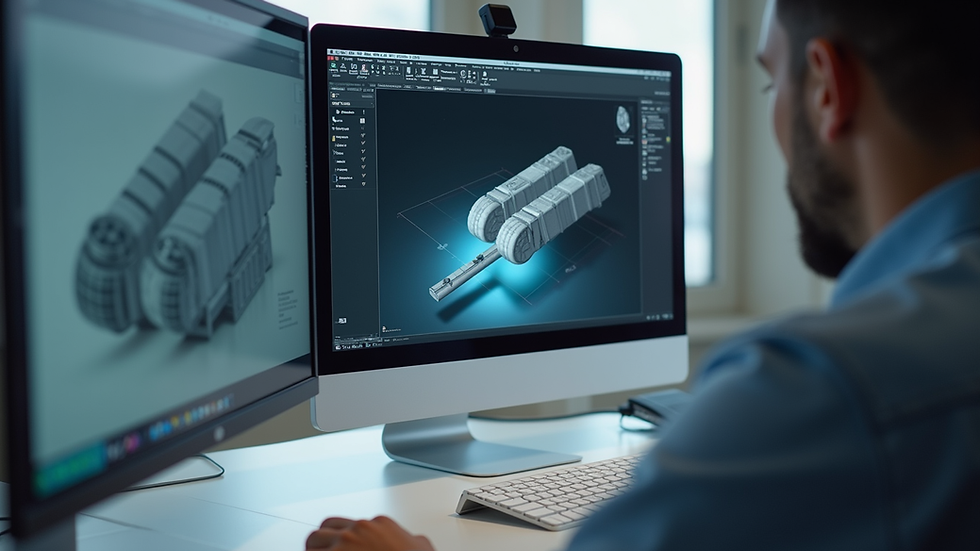
How much does CGIS cost?
When asking "How much does CGIS cost?" the answer varies widely depending on the project scope. Here’s a rough breakdown to give you an idea:
Basic product visualization: $500 to $1,500 per image. This usually covers simple products with minimal detail.
Mid-range projects: $1,500 to $5,000. These include more complex products, multiple angles, and higher quality.
High-end visualizations: $5,000 and up. This range covers detailed animations, interactive models, and large-scale projects.
Keep in mind that these are ballpark figures. Some studios may charge hourly rates, while others offer package deals. Always ask for a detailed quote that outlines what is included.
Breaking down the cgi product visualization cost in detail
To understand the cgi product visualization cost, it helps to look at the process step-by-step:
Concept and briefing: This initial phase involves discussing your product, goals, and desired output. Clear communication here saves time and money later.
3D modeling: Creating a digital model of your product. The complexity of the product directly affects the time needed.
Texturing and materials: Applying realistic surfaces, colors, and finishes to the model.
Lighting and rendering: Setting up virtual lights and rendering the final images or animations.
Post-production: Editing the rendered images for color correction, background removal, or adding effects.
Revisions: Making changes based on your feedback.
Each step requires skilled professionals and specialized software, which contributes to the overall cost. For example, a simple product might take a few days, while a complex animation could take weeks.

Tips to manage CGI visualization pricing effectively
Managing your budget while getting quality results is possible with some smart planning. Here are practical tips:
Define your goals clearly: Know what you want to achieve with your visuals. This helps avoid unnecessary work.
Prioritize key visuals: Focus on the most important angles or animations to reduce costs.
Provide detailed references: The more information you give, the less guesswork for the artist.
Plan for revisions: Agree on a set number of revisions upfront to control costs.
Choose the right provider: Look for studios that specialize in your product type and offer transparent pricing.
Consider phased projects: Start with a smaller project and expand as needed.
By following these tips, you can get the best value from your investment in CGI visualization.
Why investing in quality CGI visualization pays off
While the upfront cost might seem high, quality CGI visualization offers significant returns:
Enhanced product appeal: Stunning visuals attract more attention and build trust.
Faster decision-making: Clear images help customers and stakeholders understand the product better.
Reduced physical prototyping: Save money by showcasing virtual prototypes instead of costly samples.
Versatility: Use CGI images across marketing channels, websites, and presentations.
Competitive advantage: Stand out in crowded markets with professional visuals.
Investing wisely in CGI visualization can drive sales and strengthen your brand image.
Planning your CGI visualization project for success
To wrap up, here are some final recommendations for planning your CGI visualization project:
Start early to allow enough time for quality work.
Set a realistic budget based on your needs and the factors discussed.
Communicate openly with your CGI provider about expectations and deadlines.
Review samples or portfolios before committing.
Use the visuals strategically in your marketing and sales efforts.
Understanding the ins and outs of CGI visualization pricing empowers you to make smart choices. With the right approach, you can showcase your products in the best light and achieve your business goals.
If you want to explore more about the cgi product visualization cost and how it fits your project, feel free to reach out to experts who can guide you through the process.


Comments